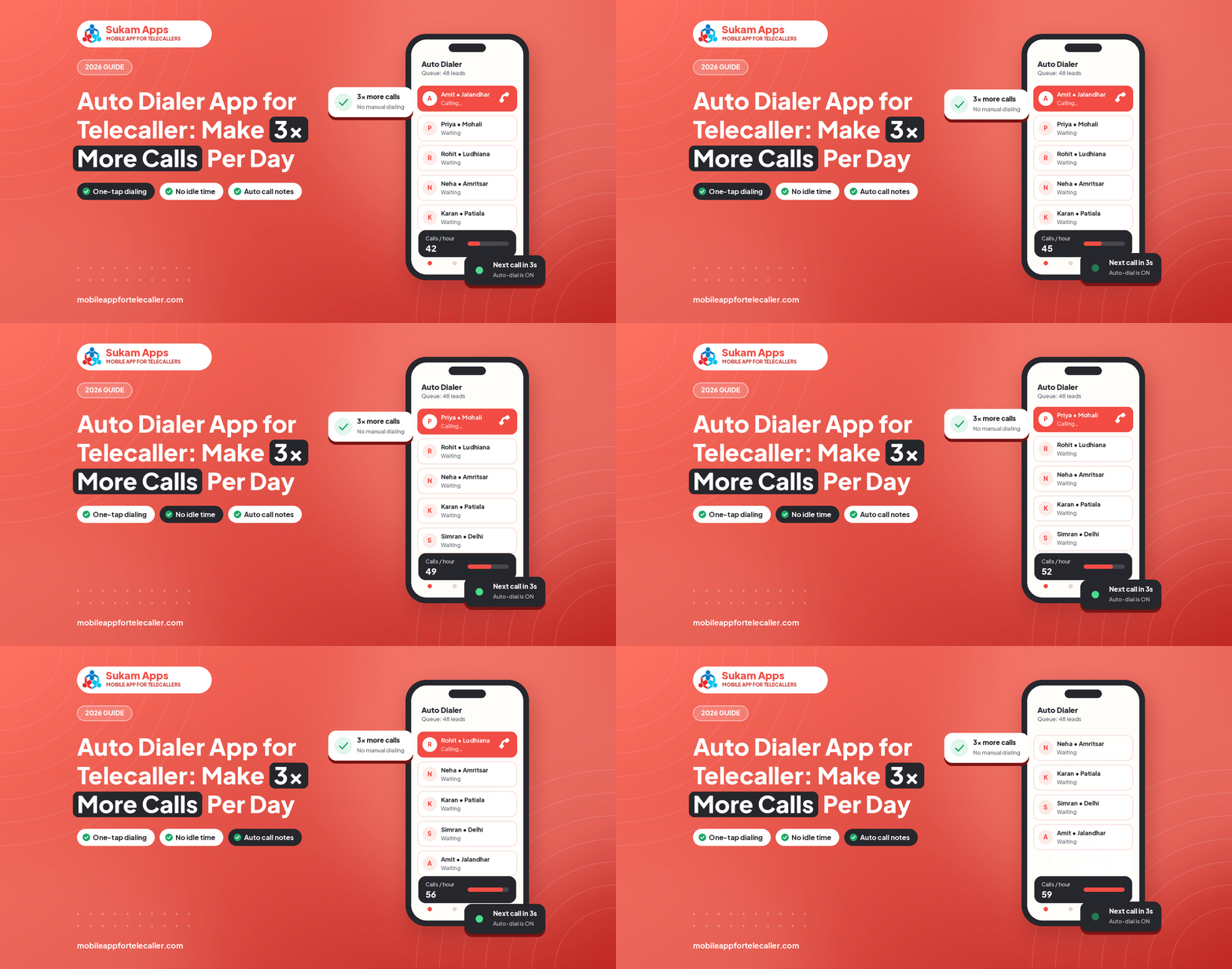
An auto dialer call is a call that software places for the telecaller: the moment one call ends and the result is saved, the app dials the next lead in the list on its own. No searching contacts, no typing numbers, no “who do I call next?”. For Indian telecalling teams working from Android phones, this one change usually doubles the number of calls an agent can make in a shift.
This guide explains how an auto dialer works, the types of auto dialers (preview, progressive, predictive), what it does to your daily call numbers, what is legal in India, and how to set one up on your team’s own SIM.
What is an auto dialer?
An auto dialer is software that dials phone numbers from a lead list automatically and hands the connected call to a telecaller. In a mobile telecaller app like Sukam Tele CRM’s auto dialer app, the dialing happens from the telecaller’s own Android phone and SIM, so the customer sees a normal mobile number and can call back.
A good auto dialer does four jobs in a loop:
- Picks the next lead from the queue (new leads, today’s follow-ups, or a filtered list).
- Dials it from the phone’s SIM after a short, configurable gap.
- Records the call (where the phone supports it) and links the recording to the lead.
- Asks for the call result and next follow-up date before moving on, so no lead is left without a status.
How an auto dialer call works, step by step
- The manager uploads leads or they arrive from forms and portals, and they are assigned to telecallers.
- The telecaller taps Start session in the app.
- The app dials the first number. If the customer picks up, the telecaller talks as on any normal call.
- After the call, the telecaller selects a status (Interested, Call back, Not interested, Wrong number) and sets a follow-up date in two taps.
- The app waits a few seconds, then dials the next lead automatically.
- Busy and not-reachable numbers go back into the queue for a retry later, so you get auto redial without the agent having to remember anyone.
- The manager sees calls made, connected calls, talk-time and outcomes per telecaller on the dashboard, live.
How much time does an auto dialer save?
Here is a typical manual calling cycle on a phone:
| Step | Manual dialing | With auto dialer |
|---|---|---|
| Find the next contact | 10-15 seconds | 0 (app picks it) |
| Dial the number | 5 seconds | 0 (app dials) |
| Note the result | 20-30 seconds in a register or Excel | 5 seconds, two taps |
| Decide who to call next | 10+ seconds | 0 (queue is ready) |
| Gap between calls | about 60 seconds | about 10 seconds |
Over an 8-hour shift that gap adds up to more than an hour of dead time per telecaller. Teams that move from manual dialing to an auto dialer typically go from 60-80 dials a day to 150 or more per agent, without hiring anyone. For realistic targets, see how many calls a telecaller should make per day.
Types of auto dialers
1. Preview dialer
Shows the lead’s details and history first; the agent taps to call. Best for high-value B2B sales where the agent needs context before every call.
2. Progressive dialer (the usual “auto dialer app”)
Dials the next number automatically only after the current call is finished and its result is saved. One agent, one call at a time. This is the right fit for most Indian SME teams in real estate, education, insurance, loans and B2B services, and it is the model Sukam Tele CRM uses.
3. Predictive dialer
Dials several numbers at once from a call-center system and connects the agent to whoever picks up first. It maximises talk-time in large BPOs but causes dropped and silent calls, needs cloud telephony or a virtual number, and is the kind of calling that customers most often report as spam.
4. Power dialer
A term vendors use loosely; usually it means a progressive dialer that dials one or more lines per agent at a fixed pace with no prediction.
Auto dialer for call center vs mobile auto dialer
If you run a 100-seat call center with headsets and a dialer server, a cloud-telephony dialer for call center use with predictive dialing can make sense. Most small and mid-sized teams in India are different: telecallers work on Android phones, often from different locations, and customers trust calls from a normal mobile number more than from an unknown series. For them a SIM-based mobile auto dialer is cheaper (calls go on your existing SIM plan, no per-minute bill) and simpler to run. Compare the costs in SIM-based vs cloud telephony.
Why the auto dialer should sit inside a CRM
Speed alone is not the goal. When the auto dialer is part of a telecalling CRM, every call becomes structured data:
- Every call is logged against the lead, with duration and outcome.
- Call recordings are saved with the lead for quality checks and training.
- Follow-up reminders are set on the spot, so callbacks are not forgotten.
- WhatsApp templates can go out right after the call.
- Managers get employee call tracking with talk-time and connected calls per person.
That loop (dial, talk, update, remind, next call) is what separates a 60-call agent from a 150-call agent.
Is auto dialing legal in India?
Calling people who have enquired about your product (form fills, portal enquiries, existing customers, B2B prospects) one call at a time from a normal SIM is ordinary business calling. TRAI’s rules mainly target unsolicited commercial communication, bulk robo-calls and promotional calls to numbers on the Do Not Disturb list. Keep these basics in place:
- Call leads who enquired or have a business relationship with you.
- Respect DND preferences and anyone who asks not to be called again.
- Tell customers when calls are recorded and follow a written call recording policy.
This is general information, not legal advice; check your own sector rules (for example insurance and lending).
How to set up an auto dialer on Android
- Install the telecaller app on each agent’s Android phone and log in with the company account.
- Give call, call-log and storage permissions so calls can be dialed, logged and recorded.
- Upload or assign today’s leads to each telecaller.
- Set the gap between calls and the statuses your team uses.
- Start a session and let the app dial.
A detailed walkthrough is in how to use an auto dialer on Android.
How to choose auto dialer software in India (Android app)
An auto dialer app is only useful if your team keeps using it after week one. Before you pick one, check these six things:
- Works on your own SIM. A SIM-based auto dialer app calls from the telecaller’s existing mobile number, so you do not pay for a virtual number or a call-center setup.
- One-tap call outcomes. After each auto dialer call the telecaller should be able to mark Interested, Call back or Not interested and set a follow-up in seconds.
- Retry for busy numbers. Busy and not-reachable numbers should go back into the calling queue automatically instead of being lost.
- Call recording and talk-time. Managers need recordings (on supported Android phones) and talk-time per telecaller to coach the team.
- Lead sources built in. IndiaMART, TradeIndia and Justdial enquiries should reach the dialer queue without manual copy-paste.
- Local setup and support. Training in your language and one support person you can call make adoption much faster.
Sukam Tele CRM covers all six. See the auto dialer app features, check the auto dialer app price in India, or read how to use an auto dialer on Android.
Frequently asked questions
What is an auto dialer call?
It is a phone call placed automatically by software from a lead list. The telecaller does not dial the number; the app dials it and the agent talks when the customer answers.
Is there an auto redial app for busy or unanswered numbers?
Yes. In Sukam Tele CRM, numbers that are busy or not reachable go back into the calling queue for a retry, so the app redials them later without the telecaller keeping a separate list.
Does a mobile auto dialer need a virtual number?
No. A SIM-based auto dialer uses the telecaller’s existing mobile SIM. Customers see a normal mobile number, and calls are billed on your current SIM plan.
Can I use an auto dialer for a small team?
Yes. Plans start at ₹15,600 per year for 2 users (GST extra), with setup and training included. See pricing.
Will an auto dialer make my calls look like spam?
A progressive auto dialer makes one normal call at a time from a real mobile number, so it does not create the silent or dropped calls that predictive dialers do.
Which is the best auto dialer app in India for telecallers?
For mobile telecalling teams, the best auto dialer app is one that uses the existing SIM, records calls, retries busy numbers and pulls IndiaMART, TradeIndia and Justdial leads into the calling queue. Sukam Tele CRM does this on Android, with a 7-day free trial and plans from ₹15,600 per year for 2 users (GST extra).
How many auto dialer calls can a telecaller make in a day?
It depends on your lead list and talk-time, but an auto dialer removes the manual dialing and note-taking gap between calls, so the same telecaller can usually get through noticeably more calls in a shift than with manual dialing.
Try the auto dialer free for 7 days
Sukam Tele CRM’s auto dialer is included in every plan, together with call recording, lead management and live reports. Start your 7-day free trial or see the auto dialer app features.